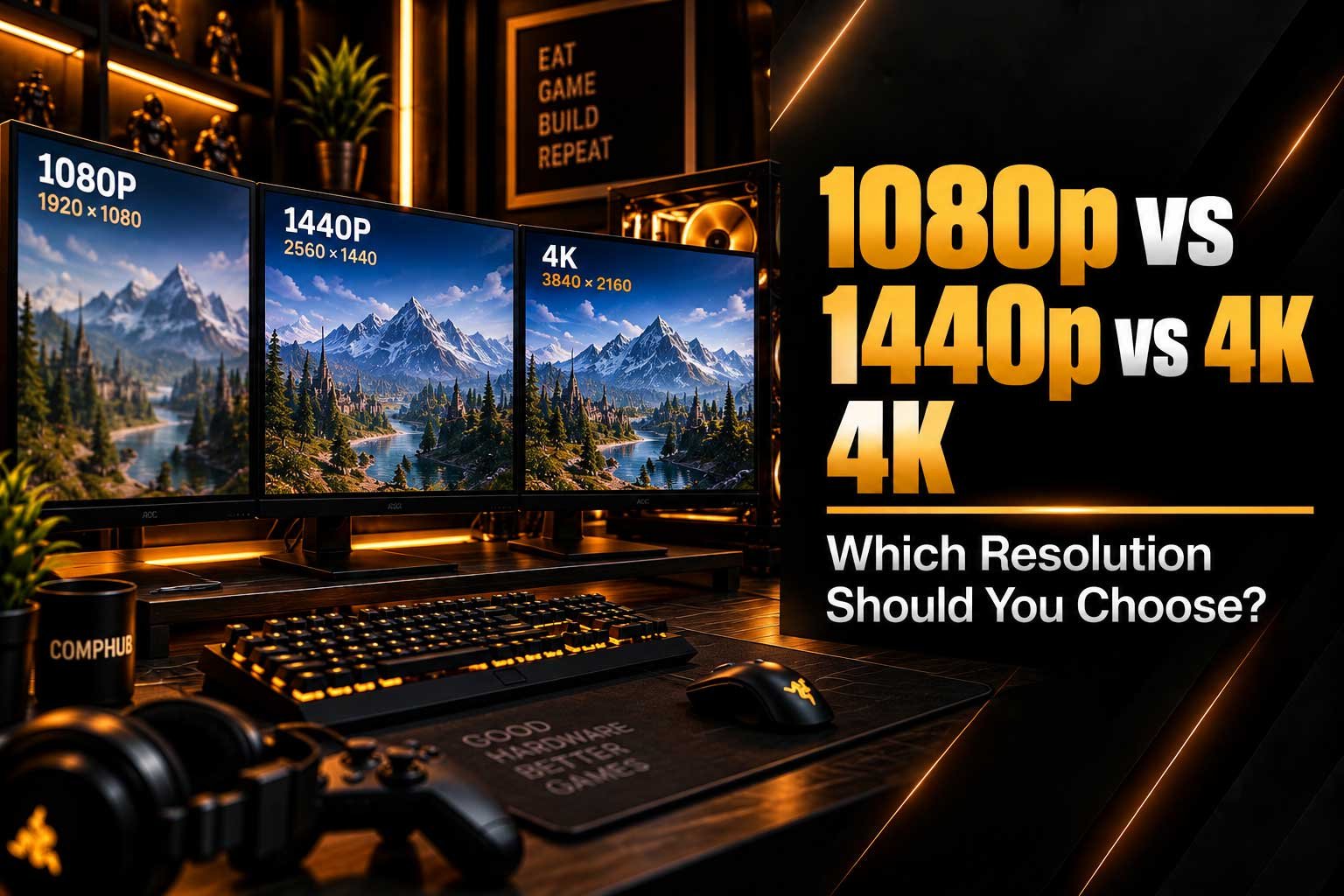
Compare 1080p vs 1440p vs 4K gaming and understand how resolution affects image quality, FPS, GPU performance and your overall gaming experience.
- 1080p vs 1440p vs 4K explained
- Gaming performance at 1080p, 1440p and 4K
- How resolution affects FPS and GPU performance
- Which gaming resolution is right for you
- When upgrading to 1440p gaming makes sense
- Why 4K gaming requires more GPU power
- How to choose the right resolution for your gaming PC
1080p vs 1440p vs 4K: What Is the Difference?
Choosing the right gaming monitor resolution can have a major impact on image quality, FPS and the hardware required from your PC. The most common options today are 1080p, 1440p and 4K, with each resolution targeting a different balance between performance and visual detail. 1080p remains popular for high-FPS competitive gaming, while 1440p offers a significant improvement in image quality without the same GPU workload as 4K. 4K provides the highest level of detail but requires considerably more graphics performance, particularly when using demanding settings such as ray tracing. If you are looking for a new display, you can explore the current gaming monitors available from CompHub and compare different screen sizes, resolutions and refresh rates.
The important thing is that a higher resolution is not automatically the right choice for every gamer. Your graphics card, monitor size, refresh rate, games and preferred FPS all influence the decision. A competitive player targeting very high frame rates may prioritise performance, while someone playing single-player games on a large screen may prefer maximum image detail. Understanding how 1080p vs 1440p vs 4K affects your system makes it much easier to choose a monitor that matches your gaming PC rather than simply choosing the highest available resolution.
1080p vs 1440p vs 4K Resolution
| Resolution | Pixels | Relative Pixel Count | Main Advantage |
|---|---|---|---|
| 1080p | 1920 × 1080 | 1× | High FPS and lower GPU requirements |
| 1440p | 2560 × 1440 | 1.78× 1080p | Balance between quality and performance |
| 4K | 3840 × 2160 | 4× 1080p | Maximum image detail |
The easiest way to understand the difference is to look at the number of pixels being rendered. A 1080p display contains around 2.07 million pixels, while 1440p contains approximately 3.69 million and 4K contains around 8.29 million. This means 4K has four times as many pixels as 1080p. More pixels can produce a sharper and more detailed image, but the GPU also has to process more information for every frame. This is one of the main reasons why the same gaming PC can produce significantly different FPS at different resolutions. Resolution therefore affects both the visual experience and the performance requirements of your system.
1080p Gaming: High FPS and Lower Requirements
1080p gaming remains a popular choice because it is relatively easy for modern gaming hardware to render at high frame rates. This can be particularly useful for competitive games where players often prioritise responsiveness and high refresh rates over maximum visual detail. A 1080p monitor can allow a gaming PC to target very high FPS without requiring the same level of GPU performance needed for 1440p or 4K. This makes it an attractive option for gamers building a more affordable system or those primarily interested in competitive titles.
Another advantage of 1080p resolution is that it works particularly well with smaller gaming monitors. When the display is smaller and viewed from an appropriate distance, the lower pixel count may be less noticeable during normal gaming. If your priority is a high refresh rate and consistent frame delivery, 1080p can still make a lot of sense. You can also browse the current CompHub monitor range if you are comparing different display sizes and refresh-rate options for a 1080p setup.
- Lower GPU workload
- Easier to achieve very high FPS
- Well suited to competitive gaming
- Good option for smaller gaming monitors
- Can reduce the overall cost of a gaming PC
1440p Gaming: The Balanced Choice
1440p gaming has become increasingly popular because it provides a noticeable improvement in image quality while remaining considerably easier to run than native 4K. With 2560 × 1440 pixels, the display provides significantly more detail than 1080p, making games, text and desktop applications appear sharper. At the same time, the GPU workload remains below 4K, allowing many modern gaming PCs to achieve strong frame rates without requiring the highest-end graphics hardware. This makes 1440p an attractive middle ground for gamers who want both visual quality and performance.
The benefits of 1440p resolution can be particularly noticeable on 27-inch-class gaming monitors. The additional pixel density provides a cleaner image without making the display excessively demanding. If you are already considering a 1440p setup, our guide What PC Do You Need for 1440p Gaming? explains how your PC hardware relates to this resolution. You can also compare available displays in the CompHub gaming monitor catalogue when choosing a suitable screen.
| 1440p Advantage | Why It Matters |
|---|---|
| More pixels than 1080p | Sharper image and clearer details |
| Lower workload than 4K | Easier to maintain higher FPS |
| Excellent for 27-inch displays | Good balance of size and pixel density |
| Strong modern gaming option | Works well across many game types |
4K Gaming: Maximum Image Detail
4K gaming provides the highest native resolution of the three options, with 3840 × 2160 pixels. This results in approximately 8.29 million pixels being displayed at once, giving games a highly detailed and sharp appearance. Fine textures, distant objects, environmental details and text can all benefit from the increased pixel density. The difference can become especially useful on larger displays, where additional resolution helps maintain image clarity. For gamers who prioritise visual quality and play cinematic single-player games, 4K can be an appealing choice.
The main disadvantage of 4K resolution is the additional GPU workload. Rendering four times as many pixels as 1080p requires substantially more graphics processing, particularly when using high or ultra graphics settings. Features such as ray tracing can increase the workload even further. Modern technologies such as upscaling and frame generation can help improve performance, but the native resolution still represents a major part of the workload. This is why choosing a 4K gaming monitor should normally be considered together with the capabilities of your graphics card.
- Very high image sharpness
- Excellent for larger gaming displays
- More detailed environments and textures
- Much higher GPU requirements
- High-refresh-rate 4K gaming can require powerful hardware
How Resolution Affects FPS
The relationship between resolution and FPS is one of the most important factors when comparing gaming monitors. FPS, or frames per second, measures how many frames your PC can produce each second. Increasing the resolution means that the GPU has to render more pixels for every frame. Moving from 1080p to 1440p therefore increases the rendering workload, while moving to 4K increases it substantially further. The exact performance difference depends on the game, graphics settings, CPU, GPU and technologies such as upscaling.
For example, a graphics card might produce a very high frame rate at 1080p but a considerably lower frame rate at 4K. This does not mean the graphics card is performing incorrectly; it is simply processing a much larger number of pixels. If you want to understand FPS in more detail, our guide What Does FPS Mean in Gaming? explains how frame rate affects the gaming experience. Understanding this relationship is useful when choosing both a gaming PC and a monitor.
| Resolution | Pixel Workload | Typical GPU Demand | FPS Potential |
|---|---|---|---|
| 1080p | Lowest | Lower | Highest |
| 1440p | Medium | Moderate | High |
| 4K | Highest | High | Lowest at native resolution |
1080p vs 1440p: Is the Upgrade Worth It?
Moving from 1080p to 1440p can provide a noticeable improvement in image quality without the same performance penalty associated with 4K. The additional pixels make games appear sharper and can improve clarity in detailed environments. Text and desktop applications can also benefit from the increased pixel density. The difference is particularly noticeable when using an appropriately sized monitor, making 1440p a popular choice for gamers looking to upgrade from a traditional 1080p setup.
However, the upgrade also increases the workload placed on the GPU. If your current PC already struggles to maintain your desired FPS at 1080p, moving to 1440p may require reducing graphics settings or upgrading hardware. If you are deciding whether to upgrade your current system or start with a new one, our guide on upgrading your PC or building a new one can help explain the broader considerations. The monitor and PC should be considered as one complete gaming setup.
1440p vs 4K: Which One Should You Choose?
The choice between 1440p vs 4K is largely a balance between image quality and graphics performance. 4K provides substantially more pixels and can look extremely sharp, especially on larger displays. However, the additional rendering workload means that maintaining high FPS can require significantly more powerful graphics hardware. 1440p offers fewer pixels but can provide an excellent combination of visual quality and performance. For many gamers, this balance makes 1440p a practical choice for high-refresh-rate gaming.
4K can make more sense when maximum image detail is a major priority and the gaming PC has enough graphics performance to support it. Monitor size also matters because the benefits of additional resolution can become more noticeable on larger screens. Rather than choosing purely based on the resolution number, consider the games you play, the FPS you want, the size of your display and the capabilities of your GPU. This approach helps create a more balanced gaming monitor setup.
Does Monitor Size Matter?
Monitor size and resolution should always be considered together. The same resolution can produce a different visual experience depending on the physical size of the screen and how far you sit from it. A 1080p display can work well on a smaller monitor, while 1440p can provide a useful balance on a 27-inch-class display. Larger screens can benefit from additional resolution because more pixels help maintain image density and clarity. This does not mean there is one universal monitor size for every resolution, but it does show why choosing resolution and display size separately can lead to an unbalanced setup.
| Typical Display Size | Resolution to Consider | Main Benefit |
|---|---|---|
| Smaller gaming monitor | 1080p | High FPS and lower GPU requirements |
| 27-inch-class monitor | 1440p | Strong balance of sharpness and performance |
| Large gaming monitor | 4K | High detail and pixel density |
If you are currently shopping for a display, you can see the latest CompHub monitors and compare the available options based on resolution and other specifications. The ideal combination depends on your complete setup rather than the monitor alone. A high-resolution screen paired with a GPU that cannot comfortably drive it may not provide the experience you expected, while a powerful graphics card paired with an unsuitable display can leave performance potential unused.
What Resolution Is Best for Competitive Gaming?
Competitive gaming changes the priorities compared with cinematic single-player games. Players competing in fast-paced shooters may place more importance on high FPS, low latency and a high refresh rate than on maximum image detail. This is one reason 1080p remains relevant for competitive gaming, particularly when the goal is to reach very high frame rates. However, 1440p can also be an excellent option for competitive players with sufficiently powerful hardware and a high-refresh-rate monitor.
The most important point is that resolution should not be considered in isolation. A monitor with a high refresh rate needs a PC capable of producing enough FPS to take advantage of it. Likewise, a powerful GPU can make higher resolutions more practical. If you are comparing different displays for competitive gaming, look at the complete combination of resolution, refresh rate, response time and GPU performance. This gives you a much clearer picture than focusing on one specification alone.
1080p vs 1440p vs 4K for Different Gamers
| Gaming Priority | Resolution to Consider | Why |
|---|---|---|
| Maximum FPS | 1080p | Lower rendering workload |
| Competitive gaming | 1080p / 1440p | High FPS with different levels of image detail |
| Balanced gaming experience | 1440p | Strong combination of quality and performance |
| Large display | 1440p / 4K | Higher pixel density and image detail |
| Maximum native detail | 4K | Highest pixel count |
| Lower-cost gaming PC | 1080p | Lower graphics performance requirements |
- 1080p is ideal when high FPS and lower hardware requirements are the priority.
- 1440p is a strong middle ground between image quality and performance.
- 4K is designed for maximum native image detail and larger displays.
- Your GPU performance should influence the resolution you choose.
- Monitor size and refresh rate should be considered alongside resolution.
Does Higher Resolution Always Look Better?
Higher resolution generally provides more pixels and therefore the potential for greater image detail, but the difference you actually notice depends on several factors. Monitor size, viewing distance, game graphics and image quality settings all affect how visible the improvement is. Moving from 1080p to 1440p can be very noticeable on a suitable display, while the jump from 1440p to 4K may be more dependent on screen size and viewing distance. This is why simply buying the highest-resolution monitor available is not always the most practical approach.
Modern gaming also includes technologies that can change how resolution is used. Upscaling can render a game internally at a lower resolution and reconstruct the image for a higher-resolution output, potentially improving performance. This can make higher-resolution gaming more accessible on modern hardware. However, the results vary between games and settings. When selecting a gaming monitor from CompHub, it is therefore useful to consider the complete combination of resolution, refresh rate and the capabilities of the gaming PC that will drive it.
How to Choose Between 1080p, 1440p and 4K
The best way to choose a gaming resolution is to start with the experience you want and then work backwards toward the appropriate hardware. If very high FPS is the priority, 1080p can reduce the workload on the GPU. If you want a noticeable improvement in image quality while retaining strong performance, 1440p offers a balanced option. If maximum detail is more important and you have the hardware to support it, 4K can provide a highly detailed gaming experience. Your monitor should therefore be selected together with your PC rather than treated as a separate purchase.
If you are building a new gaming PC, think about the resolution you want to use before choosing the final hardware. A system designed around 1080p high-FPS gaming can have very different priorities from one designed for native 4K. CompHub offers different gaming PC configurations that can be matched to your intended setup, while our previous article on CPU vs GPU and what makes a game demanding explains why different components affect gaming performance in different ways. Planning the PC and monitor together can help avoid paying for performance you cannot use.
Final Thoughts
The choice between 1080p vs 1440p vs 4K ultimately comes down to the balance between image quality, FPS, monitor size and hardware requirements. 1080p remains useful for high-FPS gaming and systems where performance is the priority. 1440p provides a strong middle ground, delivering noticeably higher image quality without the same GPU workload as 4K. 4K offers the highest native pixel count and can be particularly impressive on larger displays, but it requires substantially more graphics performance. There is no universal answer for every gamer, so the right resolution is the one that matches your hardware, games and expectations.
Before buying a new display, consider your current GPU, target FPS, monitor size and the games you play. If you are planning a complete upgrade, it can also be useful to compare your current hardware with the requirements of a new system. You can browse the latest gaming monitors at CompHub and explore available gaming PCs to build a setup around your preferred resolution. Whether you choose 1080p, 1440p or 4K, the goal is not simply to select the biggest number, but to create a balanced gaming setup where your monitor and PC work together effectively.