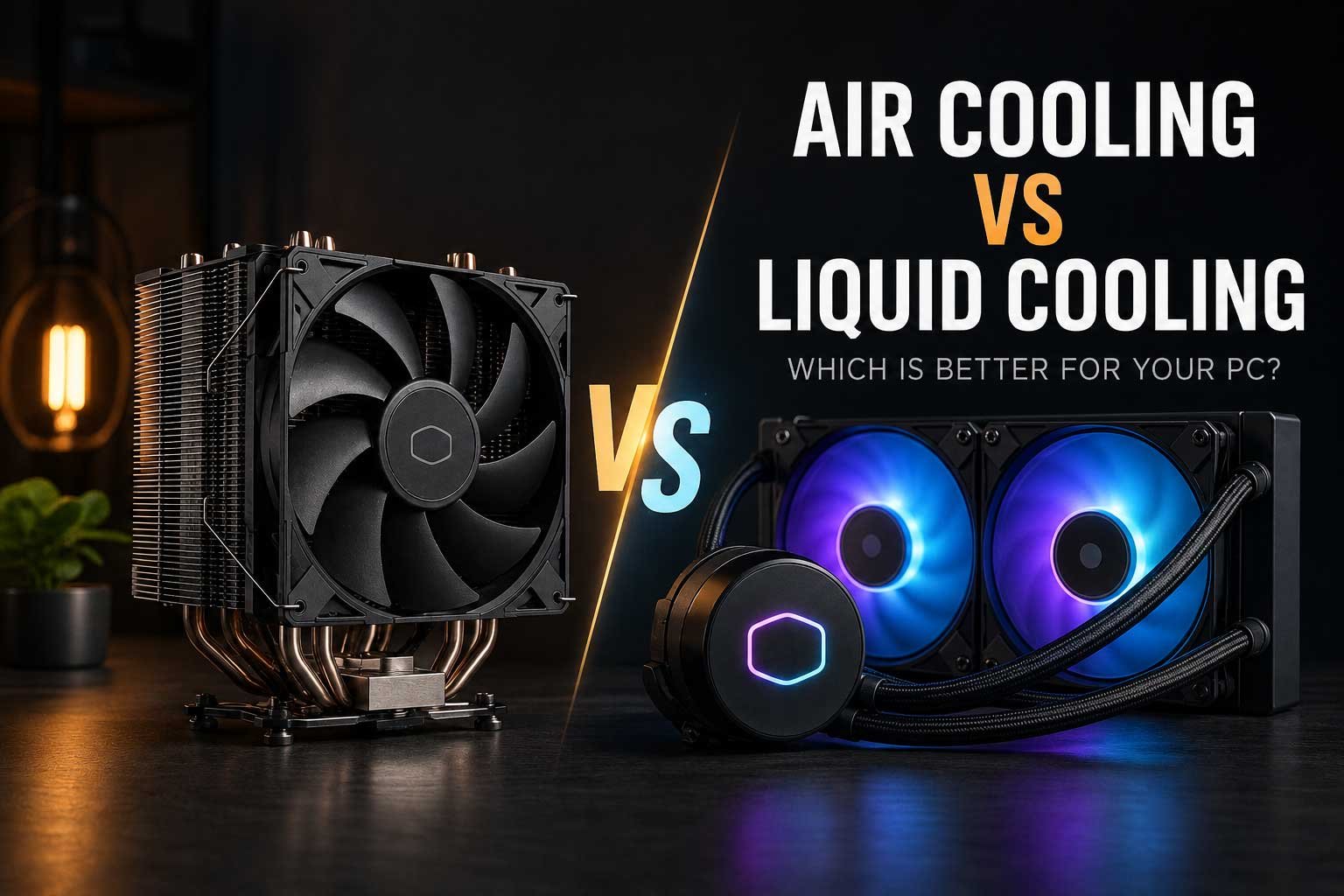
Choosing between air cooling and liquid cooling is an important part of building or upgrading a PC. Both options can deliver excellent CPU temperatures, but they differ in cooling performance, noise levels, installation, reliability, maintenance and price.
In this guide, we compare air cooling vs liquid cooling to help you understand which option is better for your PC, including:
- The main differences between air coolers and liquid coolers
- Which option offers better CPU cooling performance
- How air and liquid cooling compare in terms of noise, reliability and maintenance
- The advantages and disadvantages of air coolers and AIO liquid coolers
- Which cooling solution offers the best value for gaming PCs and high-performance systems
Choosing between air cooling and liquid cooling is one of the most common decisions when building or upgrading a PC. Both solutions are designed to remove heat from the processor, but they do it in different ways and offer different advantages. A traditional air cooler uses a heatsink and one or more fans, while an AIO liquid cooler transfers heat through liquid to a radiator. In practice, the more expensive option is not always the better choice. A high-quality air cooler can deliver excellent performance, while a liquid cooler may provide additional cooling capacity, a cleaner appearance or better support for high-end processors.
The right choice depends on your CPU, PC case, workload, budget and personal preferences. A gaming PC with a mid-range processor may not need an expensive 360mm liquid cooler, while a high-performance workstation or system running a powerful CPU under heavy workloads may benefit from additional cooling capacity. Noise levels, installation, reliability and long-term maintenance can also influence the decision. Understanding how both cooling methods work makes it much easier to choose a solution that provides the right balance of performance and value.
Air Cooling vs Liquid Cooling: Quick Comparison
| Feature | Air Cooling | Liquid Cooling |
| Cooling Performance | Excellent for most CPUs | Can offer higher cooling capacity |
| Price | Usually more affordable | Usually more expensive |
| Installation | Generally simpler | More components and planning required |
| Reliability | Fewer moving parts | Includes pump and additional components |
| Maintenance | Minimal | Minimal with AIO coolers, but more potential failure points |
| Appearance | Can be large and visually prominent | Often offers a cleaner and more premium look |
How Does Air Cooling Work?
An air CPU cooler works by transferring heat away from the processor into a metal heatsink. The cooler usually uses copper heat pipes and aluminium fins to spread the heat across a larger surface area. One or more fans then push air through the heatsink, carrying the heat away and allowing cooler air to continue the process. This design is simple, effective and has been used in desktop PCs for many years. Modern tower air coolers can be surprisingly powerful and are capable of handling demanding processors when paired with good case airflow.
One of the biggest advantages of air cooling is its simplicity. There is no pump, radiator or liquid loop inside the system. The main moving parts are the fans, which can usually be replaced easily if necessary. This makes air coolers a reliable long-term option for many PC owners. High-quality models can operate for years with very little maintenance beyond removing dust. However, larger air coolers can take up significant space around the CPU socket and may affect RAM clearance or make installation more difficult in compact cases.
How Does Liquid Cooling Work?
An AIO liquid cooler, also known as an all-in-one cooler, uses liquid to transfer heat away from the CPU. A pump and cold plate sit on top of the processor, absorbing heat and transferring it into the liquid inside a sealed loop. The heated liquid then travels through tubes to a radiator, where fans remove the heat before the cooled liquid returns to the CPU. Because the radiator can provide a large surface area for heat dissipation, liquid cooling can be particularly useful for processors that generate significant amounts of heat during sustained workloads.
Modern AIO coolers are generally designed as sealed units and do not require users to refill or manage the liquid. However, they still contain more components than a traditional air cooler. In addition to fans, an AIO includes a pump, tubing and a radiator, meaning there are more potential points of failure over the lifetime of the cooler. Installation can also require more planning because the radiator must fit correctly inside the case. Despite this, liquid cooling remains a popular choice for high-performance PCs because it can combine strong thermal performance with a clean and modern appearance.
Which Offers Better Cooling Performance?
When comparing air cooling vs liquid cooling performance, there is no single answer that applies to every product. A high-end dual-tower air cooler can perform similarly to some smaller AIO liquid coolers, while larger 280mm or 360mm radiators can provide greater cooling capacity under sustained heavy loads. The processor also plays an important role. A mid-range CPU used primarily for gaming may not generate enough heat to justify a large liquid cooler, while a high-end processor used for rendering, compiling or other intensive tasks can benefit from additional cooling headroom.
For most gaming PCs, a quality air cooler is often more than capable of keeping temperatures under control. Games usually do not place the same sustained all-core load on a processor as professional rendering or productivity applications. This means spending significantly more on liquid cooling may not always result in a noticeable improvement during normal gaming. The best cooler is the one that can handle your CPU comfortably without unnecessary cost, excessive noise or compatibility problems. Checking independent benchmarks and the cooler's compatibility with your processor is more useful than simply assuming that liquid cooling is always superior.
Air Cooling vs Liquid Cooling for Gaming
For a typical gaming PC, both air and liquid cooling can provide excellent results. Gaming performance is usually affected more by the processor and graphics card than by whether the CPU is cooled with air or liquid, as long as temperatures remain within a healthy operating range. A good air cooler can prevent thermal throttling and maintain consistent boost behaviour on many modern processors. This makes air cooling an excellent option for gaming builds where value and reliability are priorities.
Liquid cooling can still make sense for gaming systems, particularly when using high-end CPUs or when appearance is an important part of the build. A large radiator can help manage heat during demanding workloads, and the smaller CPU block can leave more visible space around the motherboard. Many AIO coolers also include RGB lighting or displays, which can contribute to the overall design of a premium system. However, buyers should remember that a liquid cooler will not automatically increase gaming FPS. Its main purpose is temperature control, and the performance benefit depends on whether the processor was previously limited by heat.
Which Option Is Quieter?
Noise levels depend heavily on the specific cooler, fan quality and cooling configuration. It is a common misconception that liquid cooling is always quieter than air cooling. A large radiator with multiple fans may still produce significant noise when running at high speeds, while a high-quality air cooler with a large heatsink can operate quietly because its fans do not need to spin as quickly. Liquid coolers also include a pump, which can produce a small amount of additional noise that does not exist with a standard air cooler.
A well-configured cooling system is usually more important than the cooling method itself. Fan curves can be adjusted so that fans increase speed gradually as temperatures rise, reducing unnecessary noise during everyday use. Good case airflow can also reduce the workload placed on individual fans. In many cases, a large air cooler with slow-moving fans can be extremely quiet, while a well-designed 280mm or 360mm AIO can also operate at low noise levels. The key is to compare the actual models rather than choosing based only on whether the cooler uses air or liquid.
Reliability and Long-Term Use
One of the strongest advantages of air cooling is long-term reliability. A traditional air cooler has a relatively simple design, with the heatsink itself containing no moving parts. If a fan eventually fails, it can often be replaced without replacing the entire cooler. This simplicity makes air cooling attractive for users who plan to keep their PC for many years or prefer a system with fewer components that could potentially fail. Regular dust cleaning is usually the main maintenance required to keep an air cooler performing properly.
An AIO liquid cooler is also designed for long-term use, but it contains additional components that can eventually wear out. The pump is particularly important because it continuously circulates liquid through the system. Over time, pump performance can decline or mechanical failure can occur, requiring the entire unit to be replaced. Although serious leaks are uncommon with reputable modern AIO coolers, they remain a theoretical risk that does not exist with air cooling. For users who prioritise simplicity, longevity and easy replacement, air cooling often has a clear advantage.
Installation and PC Case Compatibility
Installing an air cooler is generally straightforward, although larger tower coolers can be heavy and may require removing the motherboard or using a backplate. Before buying, it is important to check the maximum CPU cooler height supported by the PC case. Large coolers can also interfere with tall RAM modules or certain motherboard layouts. Once installed, however, the setup is relatively simple and does not require radiator placement or tube routing.
Liquid cooling requires additional compatibility checks. The radiator must fit inside the case, and buyers need to confirm whether the case supports the required 120mm, 240mm, 280mm or 360mm radiator. Placement can also affect airflow and installation. Top mounting, front mounting and other configurations can influence temperatures for both the CPU and graphics card. The tubes must reach the CPU comfortably without excessive bending or tension. Because of these additional considerations, liquid cooling can require more planning, particularly in smaller or more compact PC cases.
Air Cooler vs AIO: Price and Value
Price is one of the biggest differences between the two options. A capable air cooler can offer excellent thermal performance for a relatively low cost, making it one of the best value upgrades available for many PCs. This can free more of the system budget for components that may have a greater impact on overall performance, such as a faster graphics card, larger SSD or more RAM. For a balanced gaming PC, this can often make air cooling the smarter financial choice.
Liquid cooling usually costs more because it includes additional components and more complex engineering. Premium AIO models with large radiators, RGB lighting or integrated displays can be significantly more expensive than even high-end air coolers. This additional cost may be worthwhile for users with demanding CPUs, specific aesthetic goals or systems that require more cooling capacity. However, it is important to consider the entire PC budget. Spending heavily on cooling while reducing the budget for core components may result in a system that looks impressive but offers less performance for the money.
When Should You Choose Air Cooling?
Air cooling is an excellent choice if you want strong performance, good value and simple long-term reliability. A quality air cooler is suitable for many gaming PCs, home computers and workstations, including systems with powerful processors. It is particularly attractive when the CPU does not generate extreme levels of heat or when the budget is better spent on other components. Air cooling can also be ideal for users who want minimal maintenance and the ability to replace a fan easily if necessary.
- Choose air cooling if you prioritise value and reliability
- You are building a mid-range or balanced gaming PC
- You want a simple installation with fewer components
- Your CPU does not require extreme cooling capacity
- You want minimal long-term maintenance
When Should You Choose Liquid Cooling?
Liquid cooling can be the better option for high-performance systems where additional cooling capacity is useful. Large radiators can help manage heat from powerful processors during sustained workloads, while AIO coolers can also create a cleaner appearance around the CPU socket. For users building premium gaming PCs, workstations or systems with a strong focus on aesthetics, the additional cost may be justified by the combination of cooling performance and design.
- Choose liquid cooling if your CPU produces significant heat
- You regularly run demanding productivity or professional workloads
- You want additional thermal headroom
- Your PC case supports the required radiator size
- You prefer the appearance of an AIO cooling system
So, Is Air Cooling or Liquid Cooling Better?
There is no universal winner in the air cooling vs liquid cooling comparison. Air cooling offers excellent value, simple installation and strong long-term reliability, making it the best choice for a large number of gaming and everyday PCs. Modern high-quality air coolers can handle powerful processors and operate quietly when paired with good airflow. For many users, there is simply no need to spend more on liquid cooling unless the processor or workload genuinely requires it.
Liquid cooling offers additional flexibility for high-performance systems and can provide greater cooling capacity, particularly with larger radiators. It is also a popular choice for premium PC builds where aesthetics and a cleaner internal layout are important. Ultimately, the best option depends on your processor, workload, PC case, budget and priorities. Instead of choosing based only on appearance or price, consider how much cooling your system actually needs. A properly selected air cooler or liquid cooler can both provide excellent performance and help your PC run efficiently for years.