
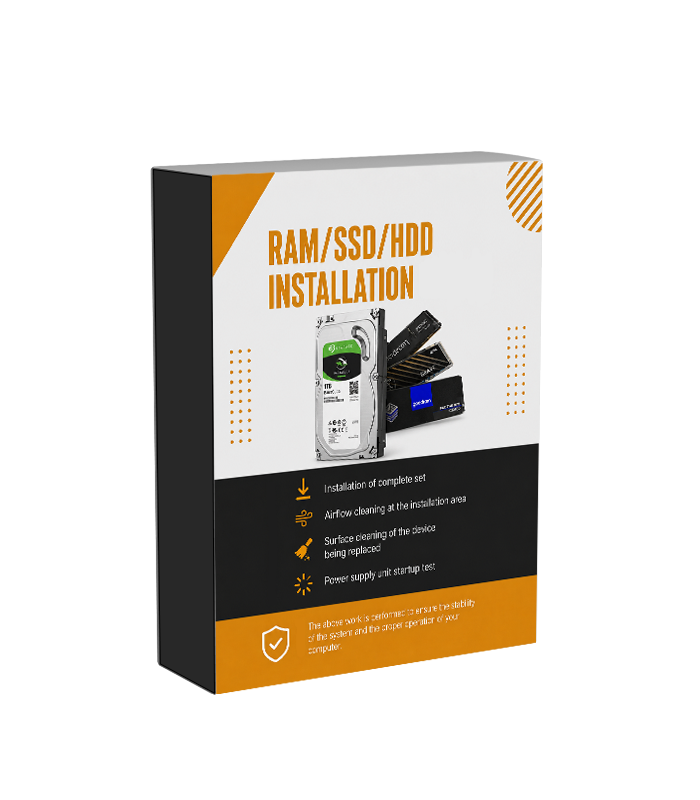
Service RAM/SSD/HDD Installation
Pick up from CompHub Store

Collect your purchase when it's ready
7 - 14 Days
Free
Courier Dublin Delivery

Courier Dublin delivery to your specified address
7 - 14 Days
€ 9.95
AnPost Nationwide Delivery

AnPost nationwide delivery to your specified address
7 - 14 Days
€ 9.95
Original price was: €29.99. €19.99 Current price is: €19.99.
Pre-order
Description
RAM, SSD and HDD Installation or Replacement Service
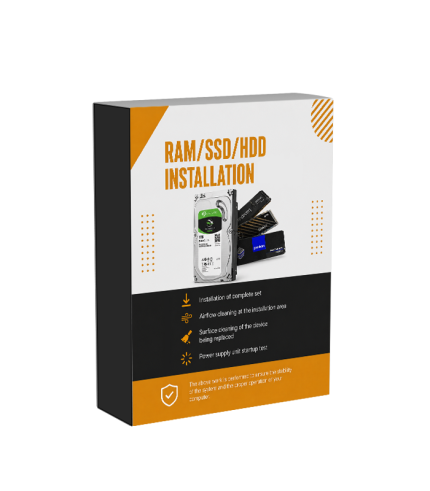
Our RAM, SSD and HDD Installation or Replacement Service is designed for customers who want to upgrade, replace or install compatible memory or storage devices in their desktop PC. Upgrading these components can increase available storage capacity, improve system responsiveness or provide additional memory for demanding applications, gaming and everyday multitasking. Whether you are replacing a faulty drive, installing a larger SSD, adding an additional HDD or increasing the amount of RAM in your computer, we can professionally install the compatible component and check that it is correctly recognised by the system. The service covers the physical installation or replacement of the selected component and a basic functionality check after the work has been completed.
When Do You Need to Install or Replace RAM, an SSD or HDD?
You may need to replace or install a new SSD, HDD or RAM module for several reasons. A storage device may need replacing if it is faulty, no longer functioning correctly or does not provide enough capacity for your files, games and applications. Installing a larger or faster SSD can also provide additional space and may improve system responsiveness depending on the existing configuration. Additional RAM can be useful when your computer does not have enough memory for the applications you use, particularly when multitasking or running demanding software. The best upgrade depends on your current hardware, motherboard compatibility and the type of component you want to install.
What Is Included in the Installation Service?
The RAM, SSD and HDD Installation or Replacement Service includes the physical installation of the compatible component into your desktop PC. Where an existing component is being replaced, it can be removed as part of the service. The relevant installation area is prepared and given a basic technical cleaning where required before the new component is fitted. After installation, we perform a basic check to confirm that the system starts correctly and that the newly installed component is recognised where applicable. The exact installation process depends on the type of component, the PC configuration and the available motherboard or drive connections.
- Installation of compatible RAM modules.
- Installation or replacement of an SSD.
- Installation or replacement of an HDD.
- Removal of an existing component where replacement is required.
- Basic preparation and cleaning of the installation area where appropriate.
- Basic startup and functionality check after installation.
Installing or Upgrading RAM
Adding more RAM can help improve the performance of a computer when the existing memory capacity is insufficient for the applications and tasks being used. Before installation, the memory must be compatible with the motherboard and supported by the system. This includes factors such as the memory generation, capacity and available RAM slots. The installation service covers fitting compatible memory modules and checking that they are recognised by the computer. If the new RAM is incompatible with the existing hardware or another installed memory module, additional configuration or a different compatible component may be required. The service does not include replacing incompatible hardware unless this is separately agreed.
Installing or Replacing an SSD or HDD
An SSD or HDD installation can be useful when you need more storage capacity, want to replace a faulty drive or add an additional storage device to your computer. SSDs can provide faster data access and system responsiveness compared with traditional hard drives in many workloads, while HDDs can offer large amounts of storage for files and other data. The selected drive must be compatible with the available connections and mounting options inside your PC. The service covers the physical installation or replacement of the compatible storage device and a basic check to confirm that it is recognised. Operating system installation, data transfer and cloning are not automatically included unless separately arranged.
Compatibility Requirements
Before a RAM, SSD or HDD upgrade can be completed, the selected component must be compatible with your computer. RAM must match the supported memory generation and be suitable for the motherboard, while SSDs and HDDs must have the appropriate connection or interface supported by the system. Storage devices may also require available mounting locations, M.2 slots or SATA connections depending on their type. If a component cannot be installed because of compatibility, physical space or connection limitations, an alternative compatible component may be required. CompHub can install customer-supplied compatible hardware or components purchased separately for the upgrade.
What Is Not Included?
The RAM, SSD and HDD Installation or Replacement Service does not include the cost of the new component, operating system installation, Windows activation, data transfer, data recovery, drive cloning or advanced troubleshooting unless these services are separately added. If a storage device is being replaced, customers should ensure that any important data has been backed up before the service. We cannot guarantee the recovery of data from a faulty or damaged drive as part of the standard installation service. Hardware faults or compatibility issues outside the installation of the selected component may require additional diagnostics, repairs or replacement parts.
System Check After Installation
Once the compatible RAM, SSD or HDD has been installed, we perform a basic functionality check to confirm that the computer starts correctly and that the newly installed hardware is recognised where applicable. This helps identify obvious installation or hardware detection issues before the service is completed. The type of check performed may vary depending on the component installed and the configuration of the computer. If an issue is discovered with the supplied component or another part of the system, additional diagnostic or repair work may be required. The functionality check confirms the basic operation of the system at the time of service and does not replace long-term hardware testing or advanced diagnostics.
Professional Hardware Installation
Upgrading your PC with additional memory or storage can be a simple way to improve its capacity and adapt it to your current needs, but the selected components must be installed correctly and be compatible with the existing system. Our RAM, SSD and HDD Installation or Replacement Service provides a convenient option for customers who prefer to have their upgrade professionally fitted. Whether you are adding more RAM, replacing an old storage drive or installing a new SSD for additional capacity, we handle the installation and basic system check so that your computer is ready for the next stage of setup or everyday use.
Customer Reviews
Popular in Services
All Products



Reviews
There are no reviews yet.